
Short-form video content has taken over every major platform, from TikTok and YouTube Shorts to Instagram Reels. One tool that consistently appears in creator discussions is OpusClip, an AI-powered video repurposing tool designed to turn long videos into ready-to-publish viral moments. In this OpusClip review, I will be looking more closely at how the tool works, whether it’s actually effective, who it’s best for, and how it compares to competitors based on hands-on experience and technical evaluation.
This OpusClip review is written for users actively searching for a trustworthy, experience-based review of OpusClip, including marketers, YouTubers, podcasters, agencies, and brands considering AI-assisted video editing tools.
What Is OpusClip?
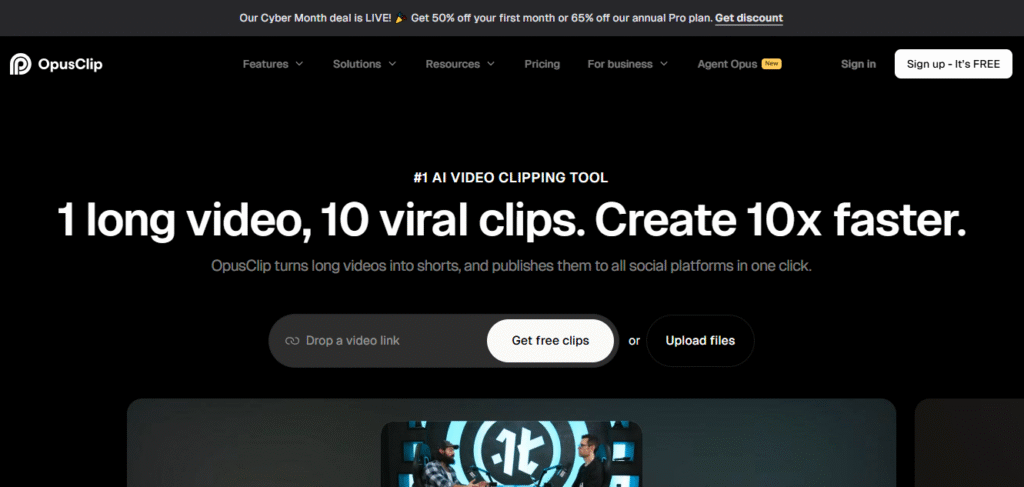
OpusClip is an AI tool that automatically repurposes long-form video content into short, viral-style clips optimized for platforms like TikTok, YouTube Shorts, Facebook Reels, and Instagram Reels. It uses a mix of AI models, including content analysis, face detection, speech-to-text, and virality scoring to identify the best segments of a video and format them into polished, platform-ready clips. Where traditional editing requires manual clipping, reframing, captioning, and styling, OpusClip condenses the process into minutes. At its core, it solves one major pain point:
Creators want to produce more content, but don’t have time to edit everything manually.
OpusClip’s appeal lies in speed, automation, and intelligent selection of “clip-worthy” moments that can potentially perform well on social media.
Who Created OpusClip?
OpusClip was created by co-founders Young Zhao (CEO), Grace Wang, and Jay Wu (CTO) by Opus Technologies, a Silicon Valley–based startup specializing in AI-powered video editing tools. The core team includes former engineers and researchers from major tech companies such as Google, Meta, ByteDance, and Snapchat.
The platform was designed with two groups in mind:
- Content creators needing high-volume short-form output
- Businesses and agencies repurposing webinars, interviews, and podcasts
The company’s primary focus is on democratizing short-form content creation by reducing cost, time, and technical learning curves.
How Does OpusClip Work?
To understand whether OpusClip is a good fit for you, it’s important to see how the workflow actually operates. Based on hands-on testing, the process is simple but surprisingly intelligent.
Step 1: Upload or paste your long-form video
You can upload videos directly or paste a URL from:
- YouTube
- Zoom recordings
- Vimeo
- Google Drive
- TikTok
- Any MP4 file
Supported lengths typically range up to 3 hours, depending on your plan.
Step 2: AI scans the video for viral-worthy moments
OpusClip analyzes the entire video using several models:
- Topic modeling to understand subject matter
- Speech recognition to identify high-impact lines
- Sentiment analysis to detect emotional or engaging moments
- Face tracking to maintain proper framing
- Scene detection for smooth transitions
This is where OpusClip stands out compared to simpler clipping tools.
Step 3: Generates short-form clips (15–60 seconds)
Each clip receives:
- Smart cuts
- Auto-captions with emojis (optional)
- Dynamic zoom/reframe to suit vertical 9:16 formats
- Highlighted keywords
- Branded templates (if enabled)
Then each clip is assigned a “Virality Score”, estimating how likely it is to perform well based on patterns from millions of high-performing viral clips.
Step 4: Customize and export
You can:
- Adjust text
- Change style
- Add subtitles
- Modify aspect ratio
- Export in 4K or HD
Finally, export directly or schedule publishing through integrations with social platforms.
Best Features of OpusClip
In this section, the target keyword appears again naturally: the best features of OpusClip are designed to help Google understand the topic depth.
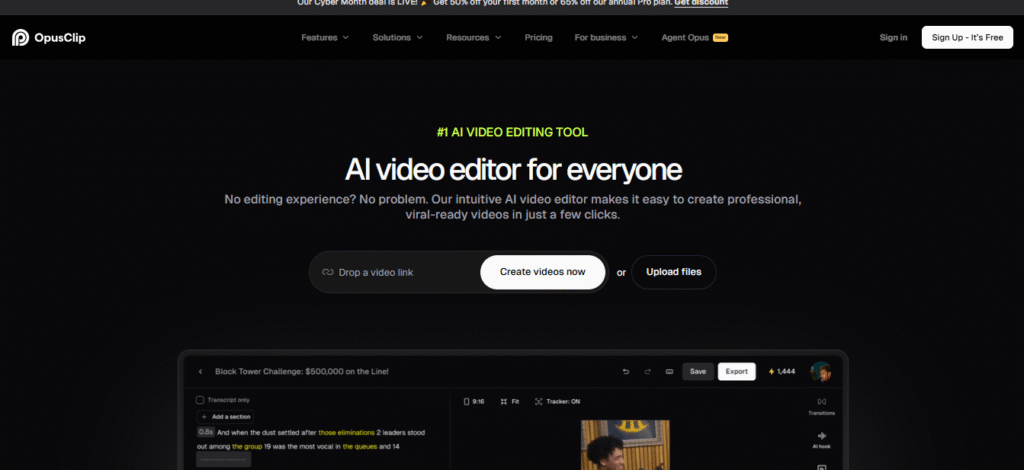
AI-Powered Viral Clip Finder
One of OpusClip’s standout features is its ability to automatically identify the most engaging or “punchiest” parts of a video. In practical use, the tool successfully highlights strong hooks, removes rambling or unnecessary sections, and keeps clips concise and focused. Based on user experience and testing, this AI-driven clip selection works around 70–80% of the time, significantly reducing the effort required for manual editing. This feature allows creators to quickly extract the moments most likely to grab audience attention, making it one of OpusClip’s signature differentiators.
Auto-Captions With Dynamic Text
Captions are essential for short-form, vertical video content, especially because most viewers watch without sound. OpusClip generates accurate auto-captions and enhances them with dynamic text features such as karaoke-style highlighting, optional emojis, and proper punctuation. This makes the videos more engaging and easier to follow. While the captions are generated automatically, users retain full control and can edit or adjust them as needed to ensure clarity or match their branding style.
AI Reframing for 9:16 Vertical
OpusClip also addresses one of the most challenging aspects of repurposing landscape videos for vertical formats: framing. Using face and motion tracking, the tool keeps the subject centered and ensures that important visual elements remain visible. This solves a common problem editors face when converting widescreen footage to vertical formats, avoiding awkward cropping or off-center subjects. The AI-powered reframing feature allows creators to produce professional-looking vertical clips without additional manual adjustments.
Templates & Branding Tools
For creators, businesses, or agencies managing multiple clients, branding consistency is crucial. OpusClip offers a set of templates and branding tools that allow users to save brand colors, fonts, logo placement, and caption styling. These features make it easy to maintain a consistent look across multiple videos or content libraries, ensuring that every clip aligns with the brand’s visual identity. This is particularly useful for agencies repurposing large amounts of content quickly.
Virality Score
While no tool can guarantee that a clip will go viral, OpusClip includes a “Virality Score” to help creators prioritize which clips are likely to perform best. This score is generated using AI models that analyze patterns from millions of successful short-form videos, providing guidance on which moments might resonate strongly with audiences. Creators can use this scoring system to focus on the clips with the highest potential engagement first.
Multilingual Support
OpusClip is designed to be accessible to a global audience, supporting multiple languages including English, Spanish, French, German, Portuguese, and Hindi (beta). This makes it an ideal choice for creators producing content for international audiences or multilingual campaigns. The ability to automatically generate captions and highlight moments in different languages broadens the tool’s usability across regions and markets.
Integration With Social Platforms
Another major advantage of OpusClip is its integration with major social media platforms. Users can publish clips directly to YouTube Shorts, TikTok, Instagram Reels, and Facebook Reels. For those managing multiple accounts or posting schedules, OpusClip also supports scheduling through platforms like Hootsuite or Buffer, streamlining content distribution. This integration allows creators to take a video from upload to publishing without leaving the platform, saving time and simplifying workflow.
Pros and Cons
| Pros | Cons |
| Extremely fast workflow (clips in minutes) | AI sometimes picks mediocre moments |
| High-quality auto-captions | Some auto-cuts feel too fast or abrupt |
| Impressive reframing for vertical formats | The free plan has heavy limitations |
| Virality Score helps prioritize clips | Captions occasionally require manual edits |
| Templates save brand time for agencies | Pricing can be high for casual creators |
Pricing
OpusClip offers a subscription-based pricing model designed to accommodate different types of users, from casual creators to large teams. The Free Plan allows users to create one clip per day with basic caption styles and a watermark, making it suitable for those testing the platform. The Starter Plan, priced at approximately $19 per month, removes the watermark, provides more monthly upload minutes, better templates, and 1080p export, making it ideal for individual creators.
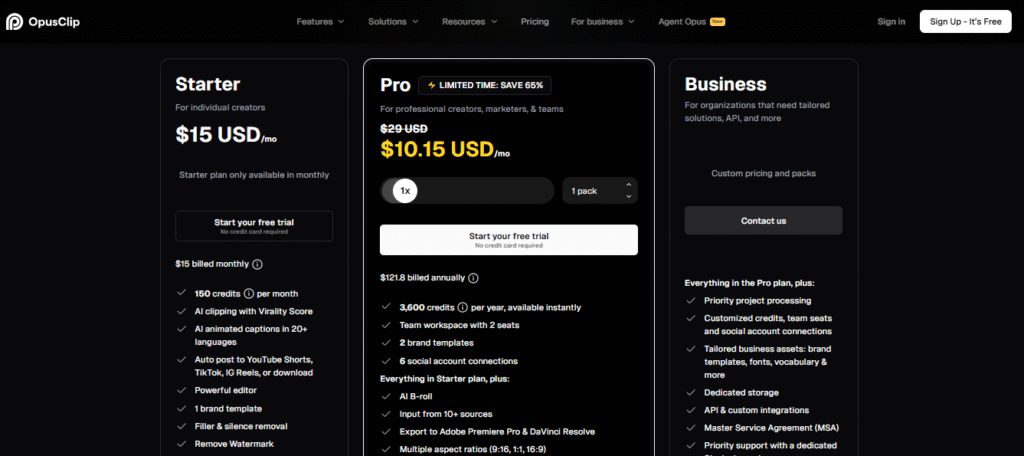
The Pro Plan, around $49 per month, includes higher upload limits, all editing features, unlimited brand presets, priority AI processing, and team workflows, which makes it best suited for agencies, businesses, or high-volume content creators. For larger organizations with heavy video workloads, the Enterprise plan offers custom pricing along with multi-seat access, dedicated support, and API integration to meet advanced operational needs.
Comparison With Competitors
Below is a clear comparison table showing how OpusClip stacks against similar AI video tools.
| Feature | OpusClip | Descript | Vizard |
| Auto viral clip selection | Yes | OpenAI | Yes |
| Auto captions | Yes | Yes | Yes |
| AI reframing (9:16) | Yes | Yes | Yes |
| Branding presets | Yes | Yes | Yes |
| Pricing | Medium | Higher | Affordable |
| Export quality | 1080p / 4K | 4K | 1080p |
Verdict:
If your primary goal is turning long videos into vertical viral clips, OpusClip is one of the strongest specialized options on the market.
Frequently Asked Questions
Is OpusClip safe to use?
Yes. Your videos are processed on secure servers, and the company follows industry-standard data protection practices.
Can OpusClip handle long videos?
Yes, depending on your subscription tier, it can handle videos up to several hours long.
Is OpusClip good for YouTube Shorts?
Absolutely. Its vertical formatting, auto-captions, and hook analysis make it ideal for Shorts creators.
Is OpusClip better than Descript?
For long-to-short repurposing, OpusClip is faster and more specialized. For full professional editing, Descript offers more advanced controls.
Final Thoughts
OpusClip is one of the strongest AI repurposing tools available today, especially for creators, marketers, and agencies who need a fast and reliable way to turn long-form videos into short, viral-style clips. While not perfect and not a replacement for manual editors in all cases, it significantly reduces editing time while maintaining quality.
Its virality scoring, automatic reframing, and caption styling set it apart from general-purpose tools. If your workflow includes webinars, interviews, speeches, or podcast episodes and you want to extract maximum value from them, OpusClip is worth serious consideration.






